
Your shop. Your language. Use Mobwala in English or Urdu.
اپنی زبان میں دکان چلائیں — موب والا انگریزی یا اردو میں استعمال کریں۔
Run your whole shop. Repairs, sales & stock.
From the first repair ticket to the last sale of the day. Manage repairs, accessories, phone stock and customer khata together — with rupee reports and English / اردو screens built for your counter.
No credit card required · Try the workflows first · Free core plan available
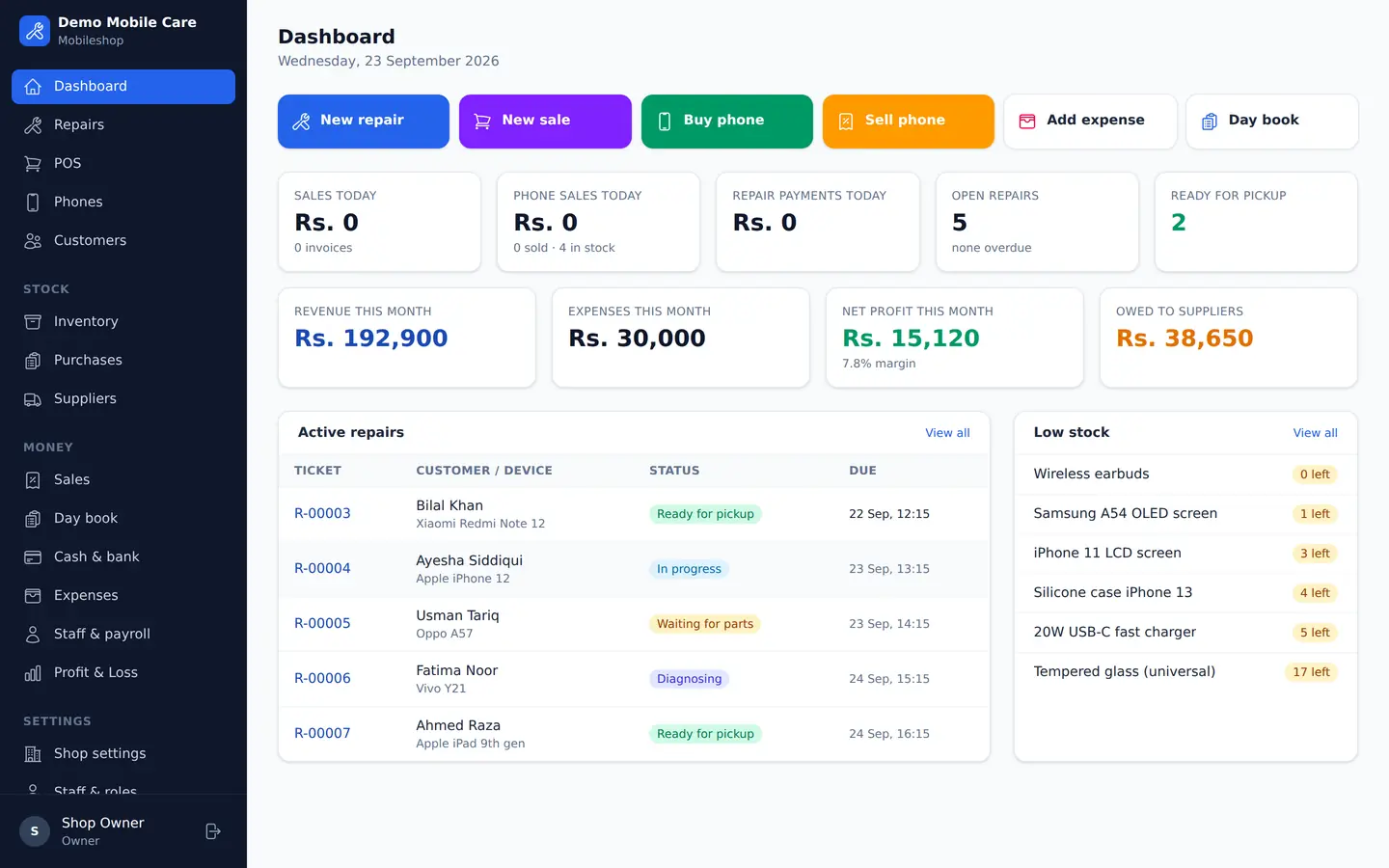
Made for the way your shop works
Three counters. One shop record.
See what your staff will use before you sign up. These are product screenshots with sample data, not customer endorsements.
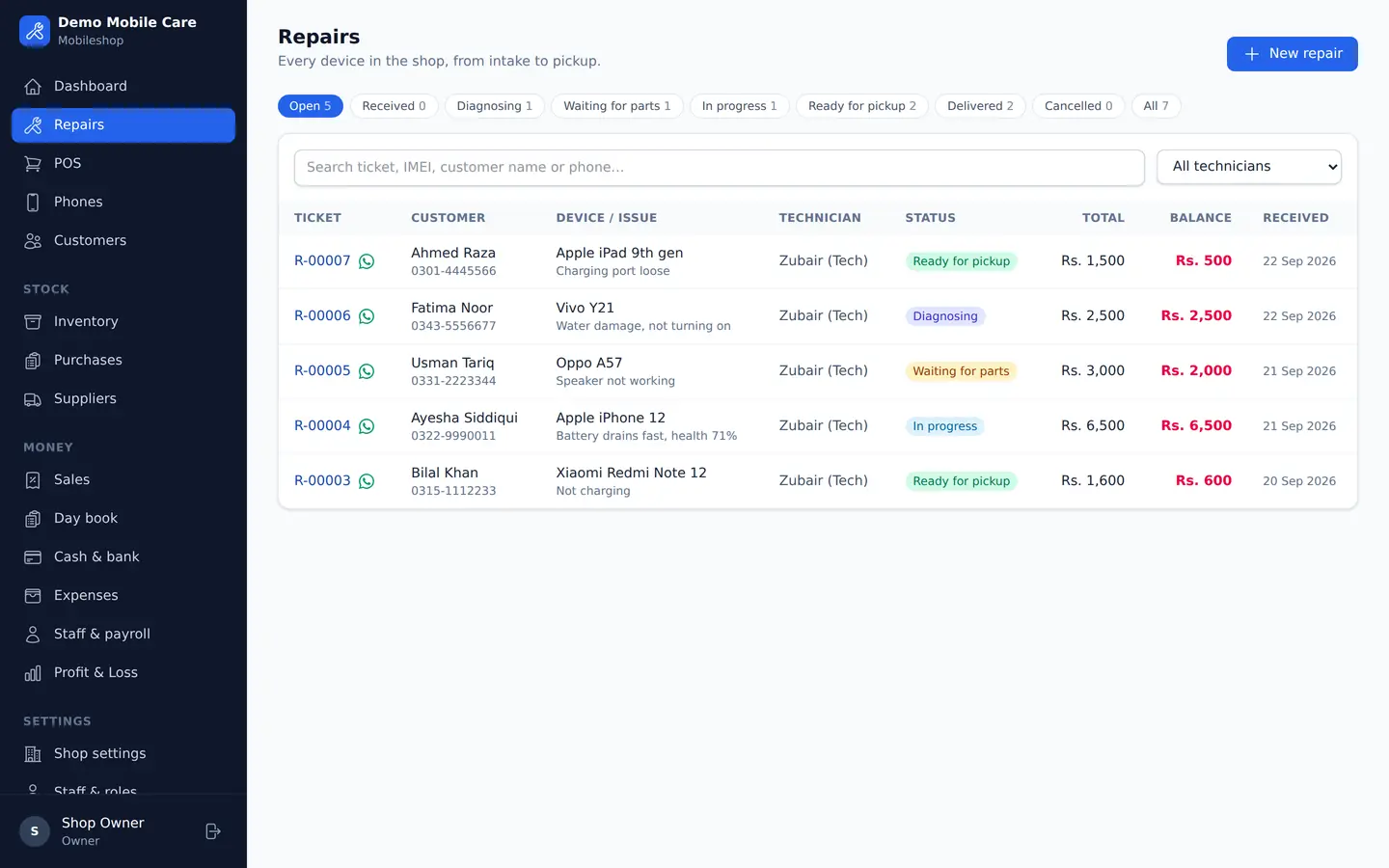
Keep every repair in view
Record the device, fault and due date. Follow each job from intake to collection.
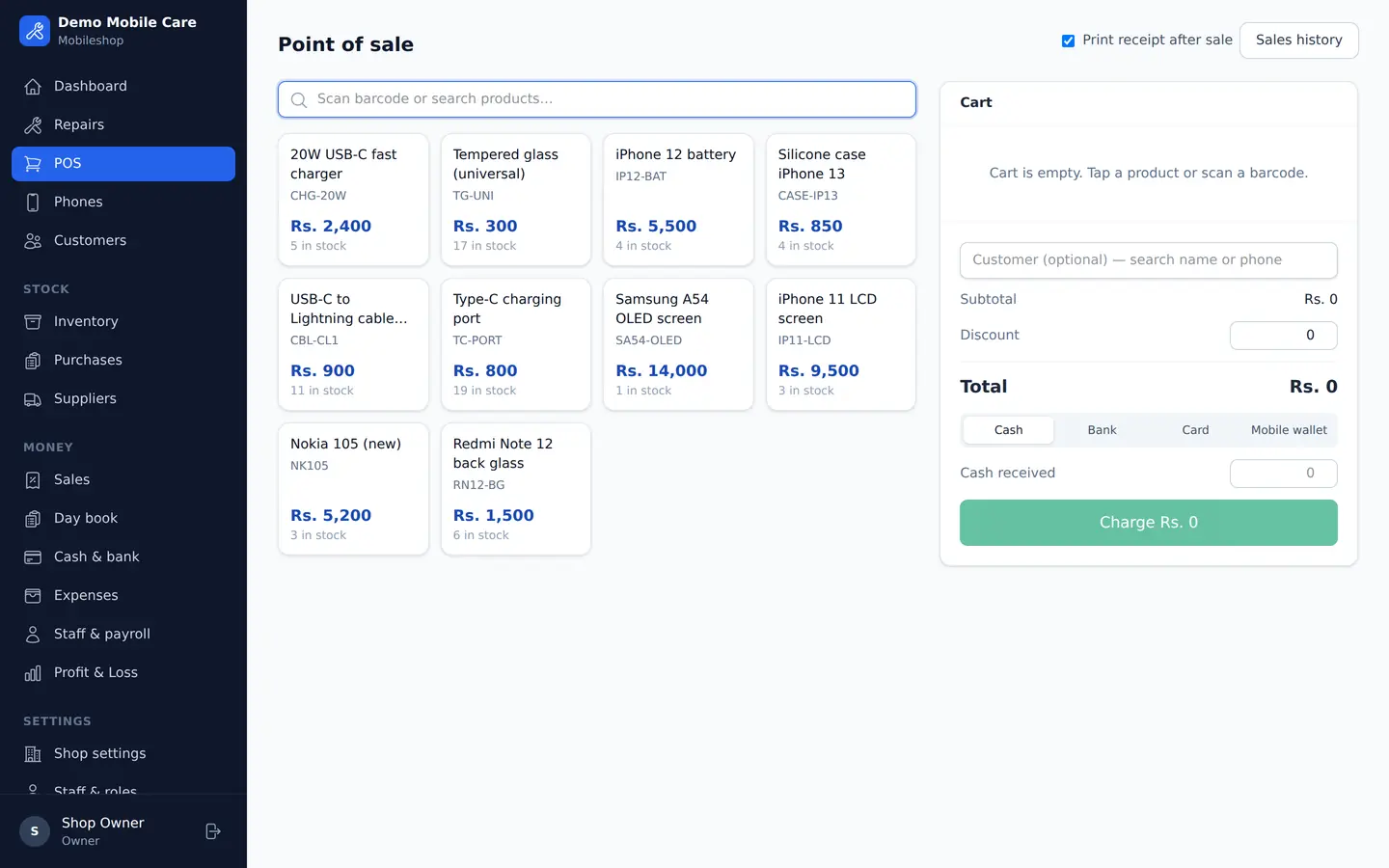
Make the counter easier to run
Find accessories, check stock and prepare a receipt with the payment method you use.
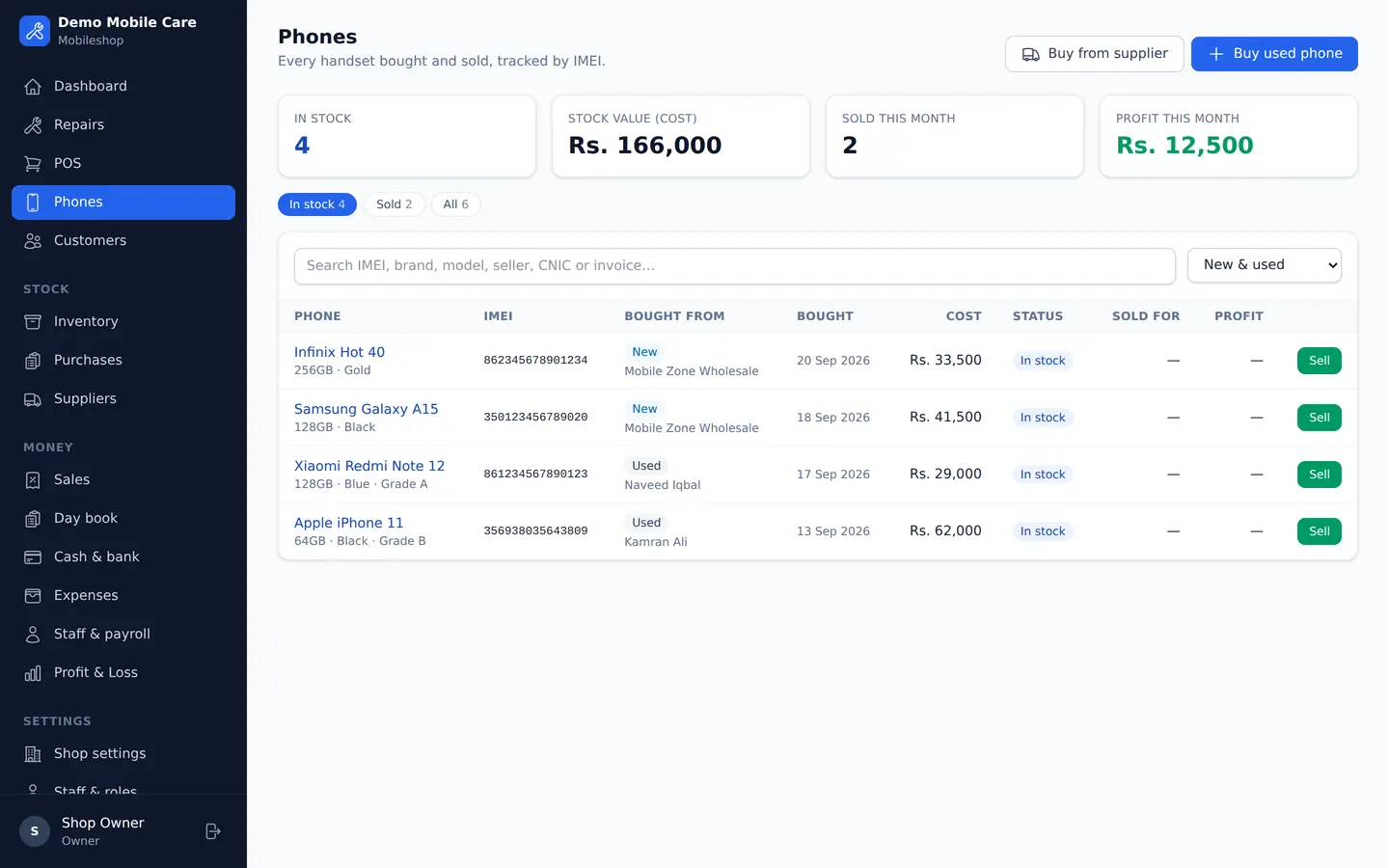
Know the story of each phone
Keep IMEI, purchase details, condition and sale history together for each handset.
Try it with your own workflow. Check a repair ticket, a receipt and your stock before choosing a paid plan. See the published limits and ask us about your printer.
View plans & limits →From the showroom to the workbench
Built around your everyday work.
Phones on display. Accessories at the counter. Repairs on the bench. Keep the records behind them together.
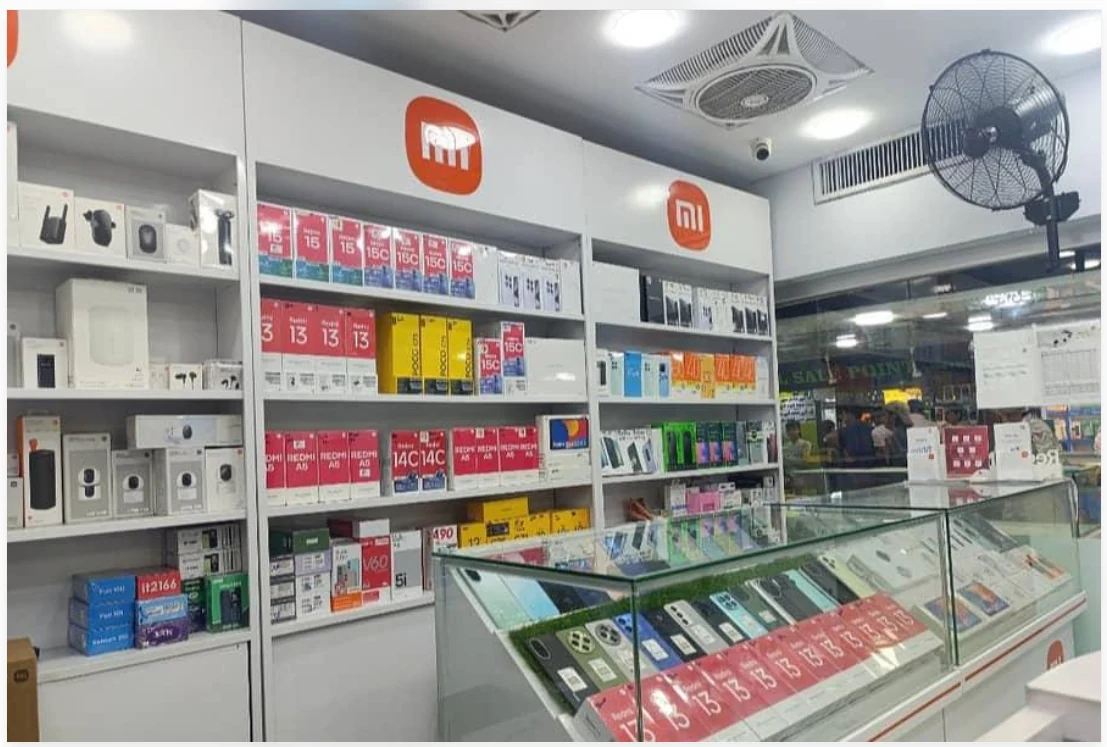
Phones, accessories & your counter
Keep stock, purchases, sales and supplier khata organised as your shop grows.
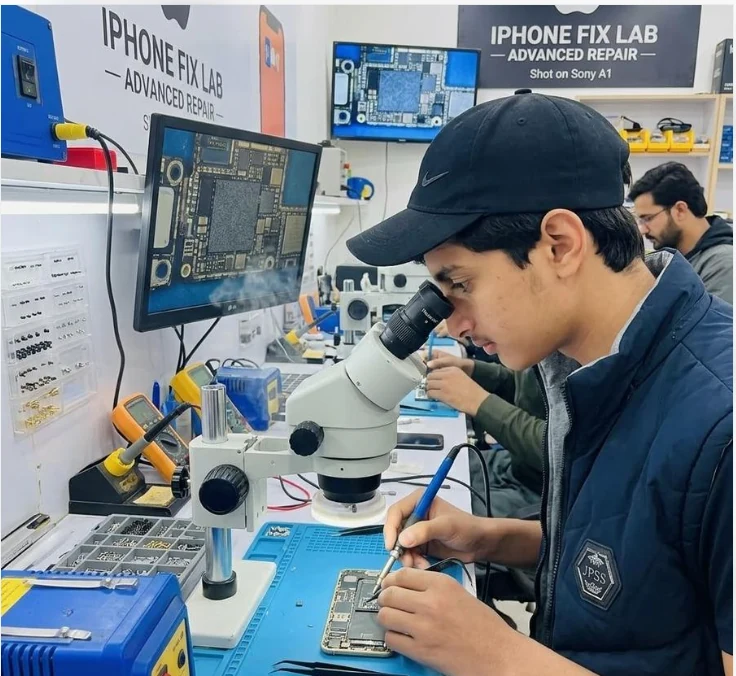
The workbench has a workflow, too
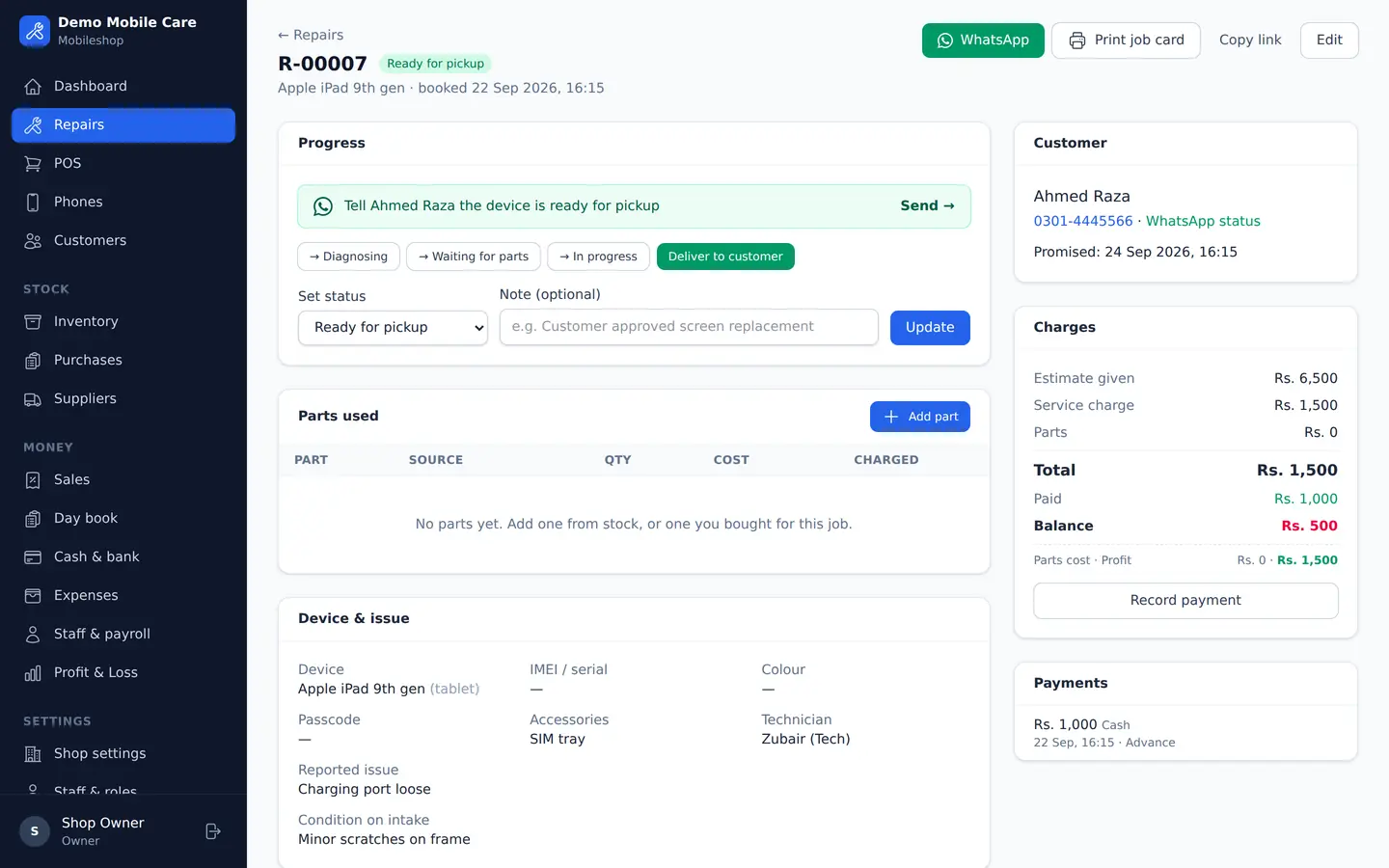
Record the fault, parts and job status so the counter and technician can follow the same repair.
Organised Repair Tickets
Every device receives a unique job number, condition photos, technician logs, and shareable WhatsApp tracking links for the customer.
Accurate Daily Net Profit
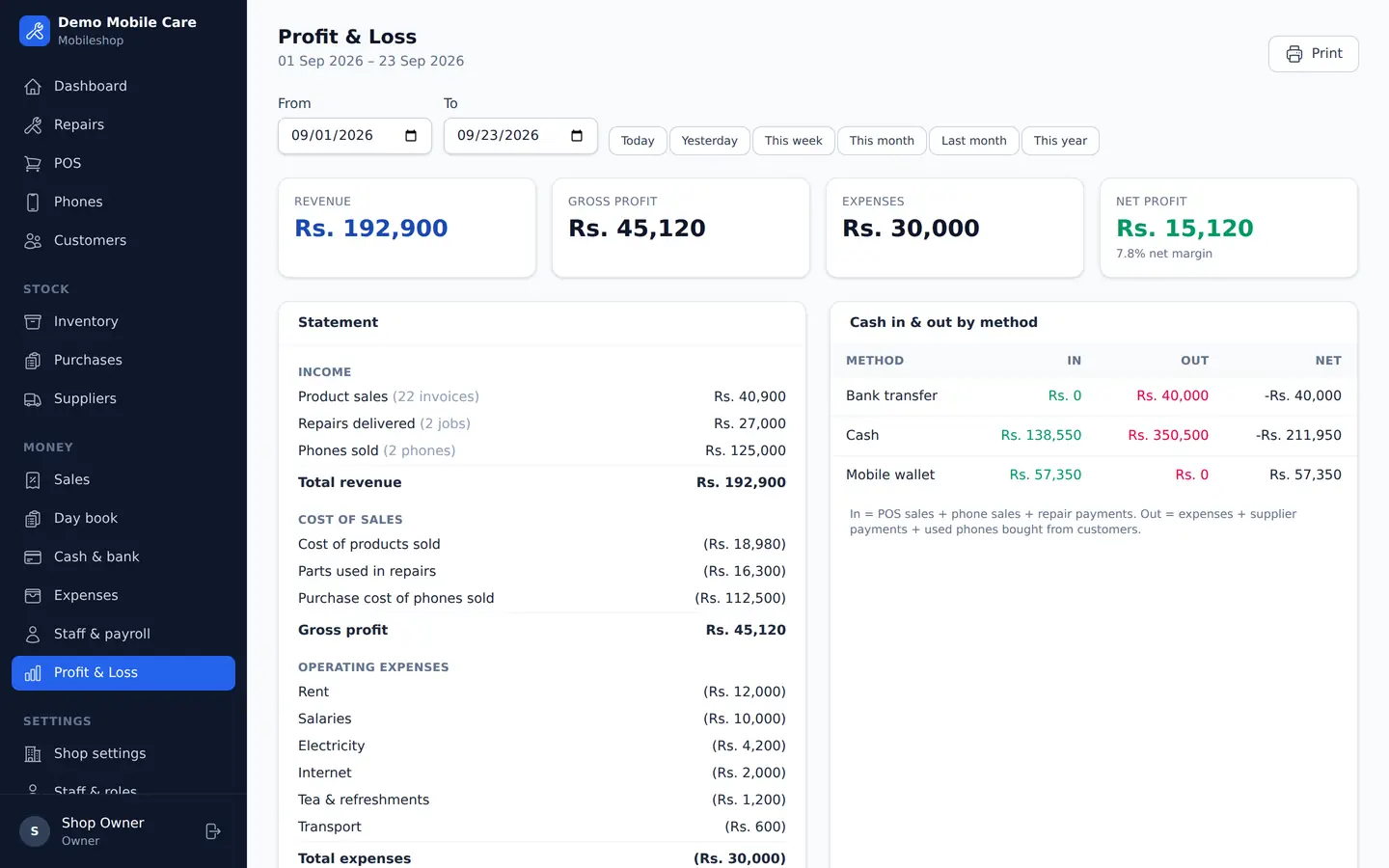
Counter sales, repair service revenue, and phone trading minus staff tea, shop rent, and parts costs — calculated automatically.
Documented Phone Trading
Record the seller's CNIC photo, IMEI number, physical condition, and digital warranty slip for every used handset you purchase.
Everything your mobile business needs
Run one department or your entire counter. Pick the modules that match your business workflow.
- ✓ Repair tickets with unique job numbers
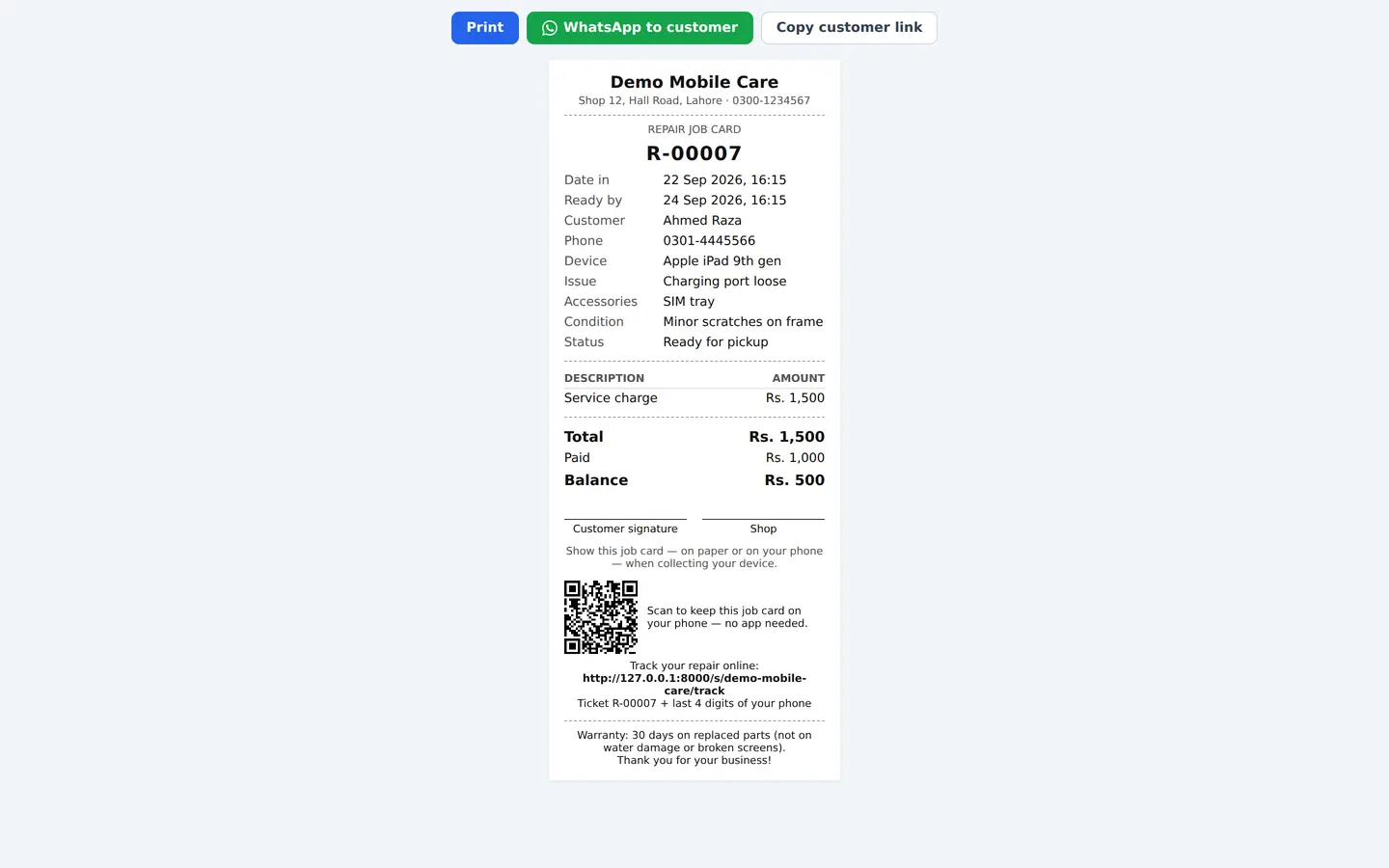
- ✓ Printable 80mm/58mm job cards
- ✓ Parts inventory & job profit calculation
- ✓ Advance & partial cash payments
- ✓ Technician assignments & status logs
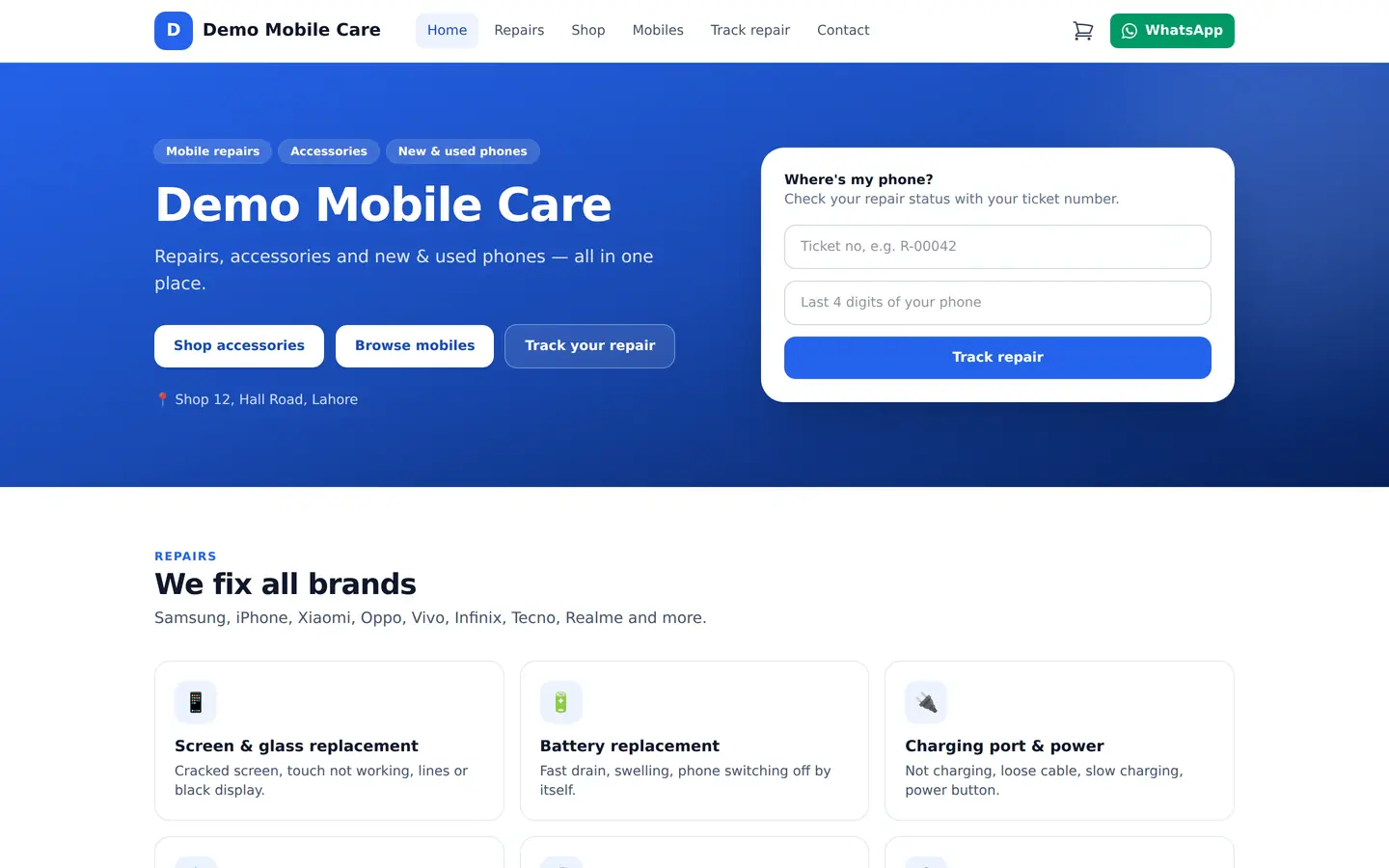
- ✓ WhatsApp repair tracking link for customers
- ✓ Fast POS counter with barcode scanning
- ✓ 80mm & 58mm thermal receipts
- ✓ Stock categories & low-stock alerts
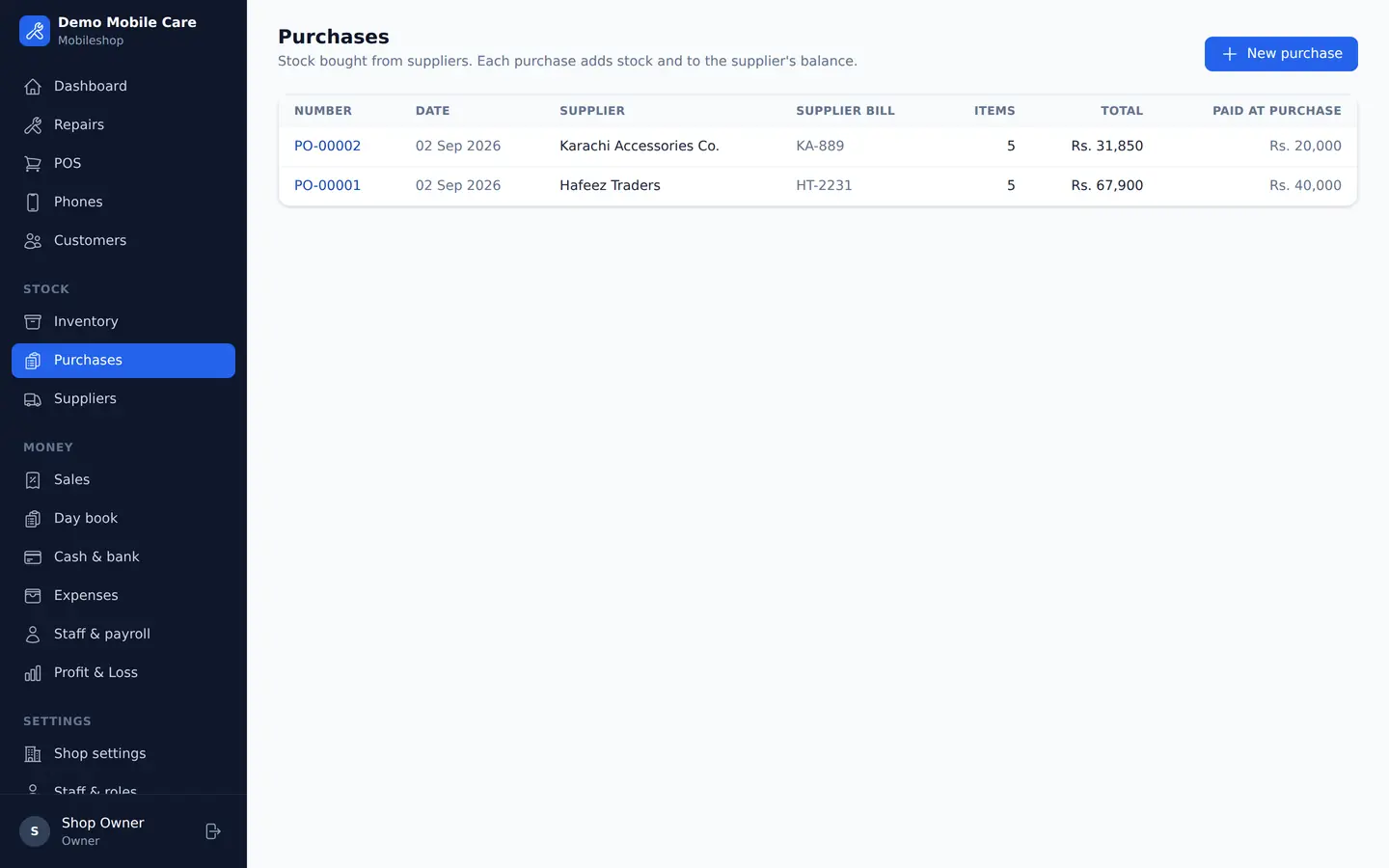
- ✓ Supplier purchases & khata ledger
- ✓ Discounts & multiple payment methods
- ✓ Void sales with automatic stock return
- ✓ Buy used phones with seller CNIC & photo
- ✓ New stock from suppliers on credit
- ✓ IMEI register & duplicate detection
- ✓ PTA approval status, grade & box info
- ✓ Sell with warranty terms & purchase receipt
- ✓ Profit calculation on every handset
A quick introduction in Urdu
آپ کی موبائل شاپ، اب زیادہ منظم
Explore the shop, repair and stock workflows in Urdu. These promotional illustrations explain the idea; see the actual app screenshots and plan details before signing up.
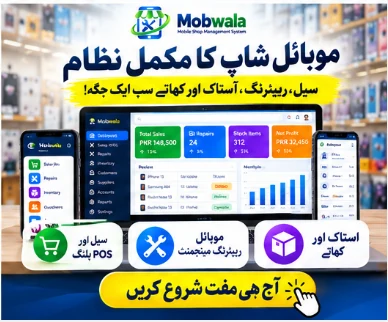
Your shop in one place
Sales, repairs and stock records together.
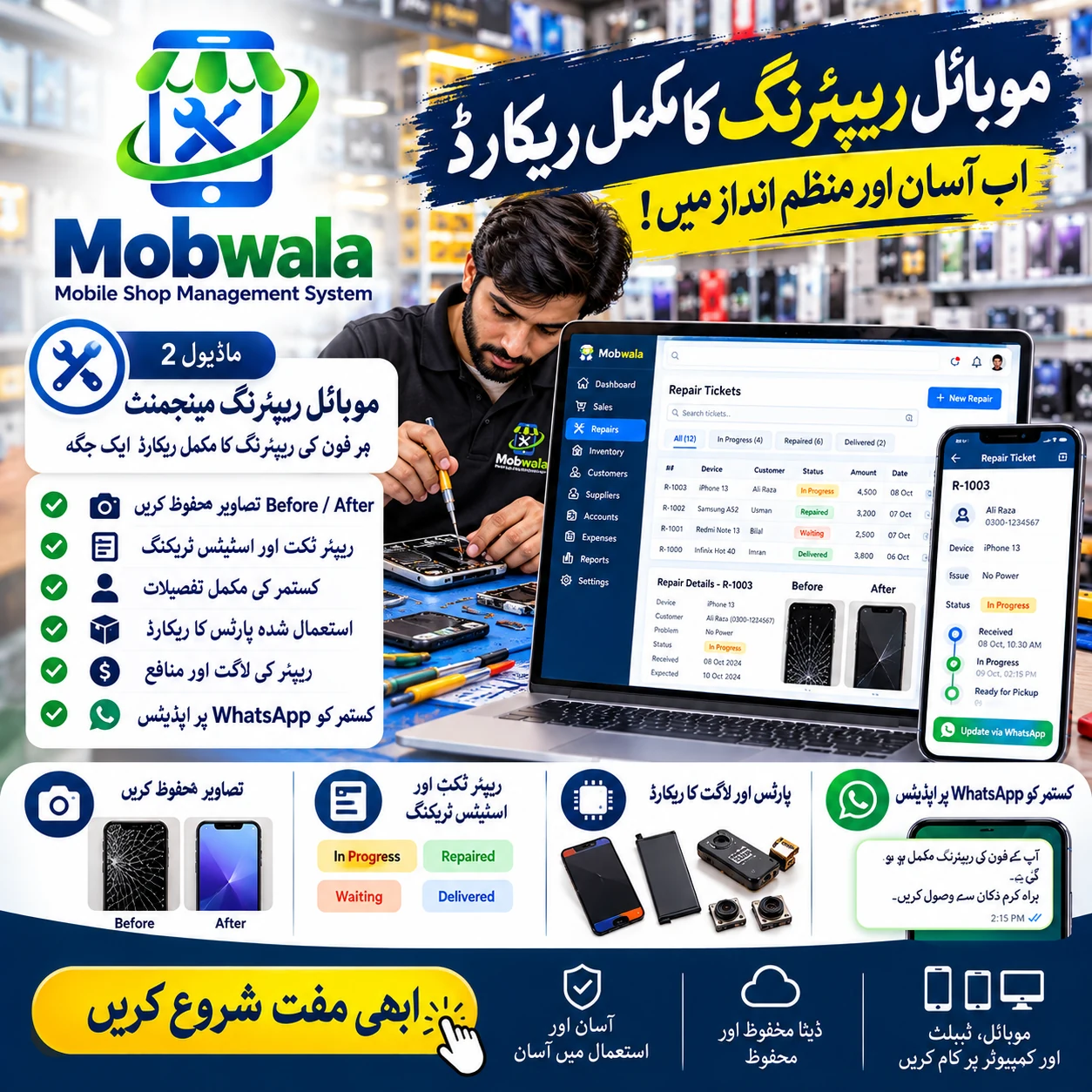
Follow each repair
Device photos, parts, job status and shareable updates.
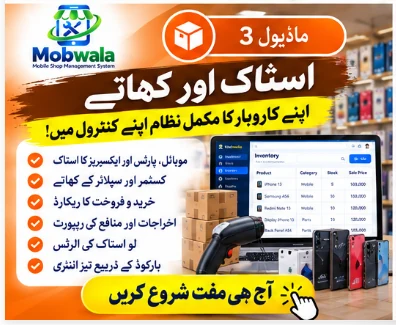
Stock & supplier khata
Purchases, stock levels and money owed to suppliers.
Get to know Mobwala
Explore the product and ask about your shop setup.
Everything a modern mobile shop needs
Included in every plan, whichever modules you choose.
Customer CRM & History
Full customer history of repairs, counter purchases and phones sold — find records by name or phone.
Suppliers & Khata Ledgers
Track what you owe every parts supplier, record payments and maintain an accurate ledger.
Daily Shop Expenses
Rent, chai, staff salaries, electricity and parts — categorized with date range reports.
Profit & Loss Analytics
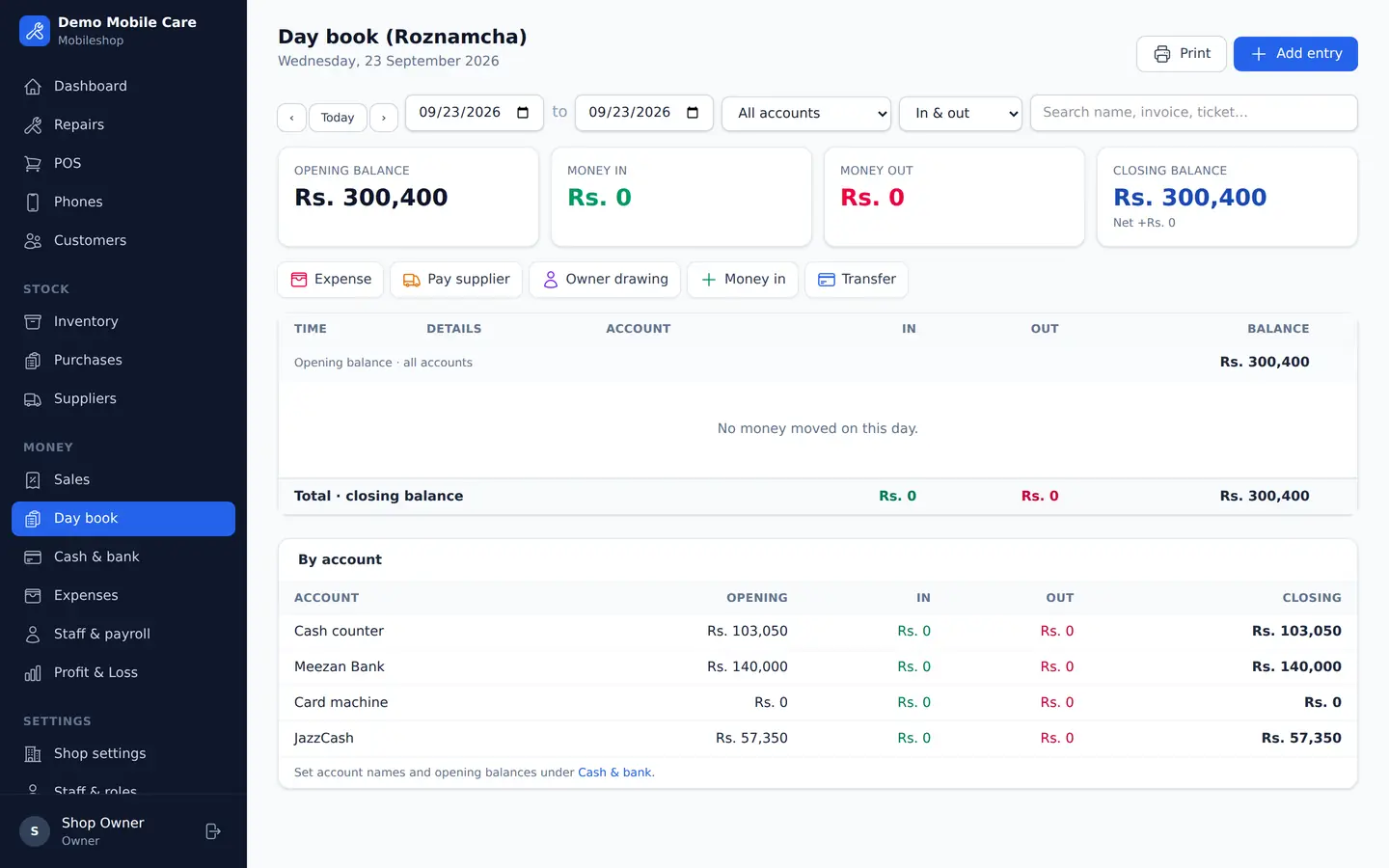
Daily, monthly or yearly profit, plus cash in & out across cash, bank and JazzCash/Easypaisa.
Staff Logins & Role Permissions
Shop Owner, Manager, Technician and Cashier — each staff member sees only what you allow.
Thermal Receipt Printing
Instant 80 mm and 58 mm thermal prints for job cards, counter invoices, and warranty receipts.
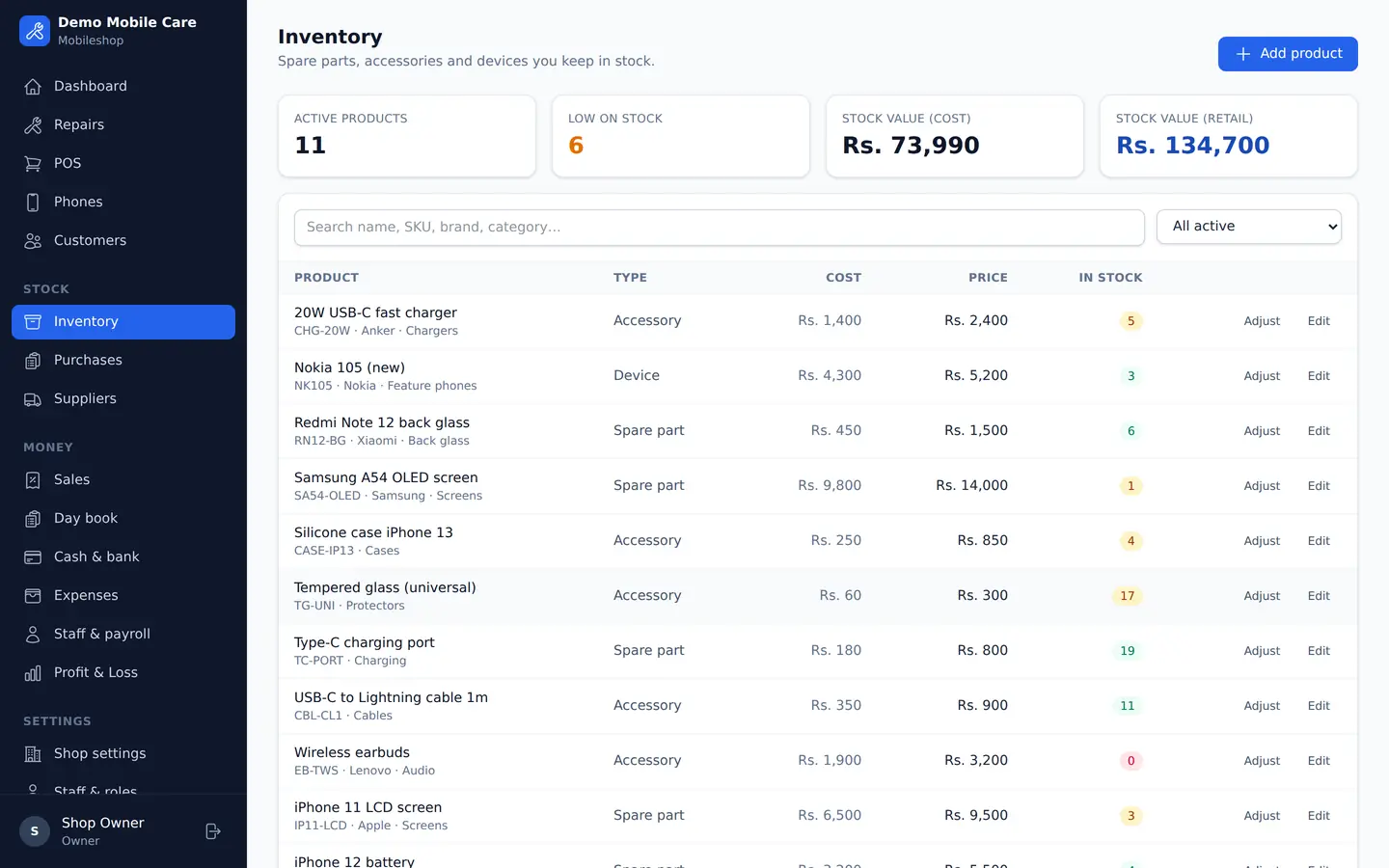
See every screen before you sign up
Actual product screens using sample shop data — repairs, counter sales, phone buying & selling, cashflow and your shop website.
Start with a guided shop setup
Instant Shop Setup
Create your shop account and explore the trial. Check the published plan limits before choosing your modules.
Add Stock & Staff Accounts
Add accessories, spare parts, or used phones in stock, and assign roles for your repair technicians and counter cashiers.
Ring Up Sales & Track Profit
Book repair tickets with customer WhatsApp links, scan barcodes at the POS, and monitor net profit every evening.
Earn Rs 500 for every shop you bring
Every Mobwala account gets its own referral link and QR code. Share it on WhatsApp or print it at your counter — when a shop you refer makes its first payment, you earn Rs 500.
Questions shop owners ask
Why choose Mobwala for a mobile shop in Pakistan? +
Mobwala combines repair tickets and photos, printable job cards, accessories POS, stock, supplier khatas and individual phone records. Choose the modules that fit your shop and use the trial to check your own workflows.
How does repair tracking on WhatsApp work? +
Create a repair ticket with device condition photos and share its tracking link through WhatsApp. Customers can open the link to check progress. Automatic reminders require a configured messaging service; delivery depends on that service.
What does the IMEI register record? +
Record both IMEIs, handset condition, seller details and private identification photos, then print a purchase slip. These are shop records: Mobwala does not verify ownership, PTA approval or legal compliance.
Does Mobwala support barcode scanning and thermal receipt printing? +
The POS accepts barcode input and provides 80 mm and 58 mm receipt layouts. Printing uses your browser and printer settings. Test your actual scanner, printer and Urdu text before relying on them at the counter.
Can I keep selling when the internet goes down? +
Prepare the encrypted offline cash counter while online. It stores provisional cash sales on that device, then syncs them when connected. Stock is an estimate and conflicts need review. Repairs, credit and individual phone sales use the online app.
How does the 45-day free VIP access work? +
New shops receive access to all modules for 45 days. Afterwards the Free plan applies its published usage limits, or you can subscribe to the modules you need. See the pricing page for current prices and limits.
How do subscription payments work? +
Use the payment accounts shown on your billing page and submit the payment reference or proof. Activation follows administrator verification. Current monthly and annual terms are shown before you choose a subscription.
Can staff have separate logins? +
Owners can create staff logins and configure role permissions. Access also depends on the shop modules and subscription. Review the roles before giving a technician or cashier access to the shop.
Can I manage supplier khata and shop expenses? +
Record purchases, payments, supplier credits, returned goods and refunds. Reports distinguish cash movements from revenue, debt and non-cash stock differences. Reconcile opening balances before relying on daily totals.
How should I protect my shop records? +
Use private staff accounts and keep the offline counter passphrase and recovery copies safe. Ask support about the hosted backup and restore policy. Owner CSV exports are useful copies of selected records, but are not full database and photo backups.
Upgrade your mobile shop operations today
Built for mobile shopkeepers and repair technicians across Pakistan. Enjoy full VIP access immediately with no payment required to start the trial.